 serin labs
What You Need
One board, one cable per unit. Everything you need to build a Serin controller.
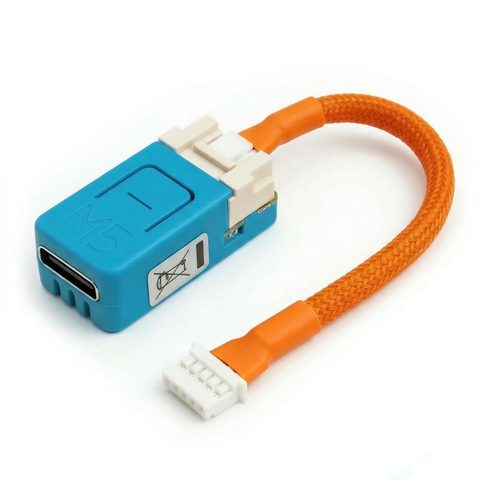
Shortcut: Buy the Complete Controller
Want to skip the parts list? The Serin Controller ships pre-assembled with the CN105 cable included, ready to flash the firmware of your choice: ESPHome or HomeKit. The rest of this page covers building your own.
1. ESP32 Board (Required)
Choose one of the two supported boards. Both work with ESPHome and HomeKit firmware.
Not sure which board? See the board comparison on the home page.
2. CN105-to-Grove Cable (Required)
This cable connects the ESP32 board to your Mitsubishi unit's CN105 port.
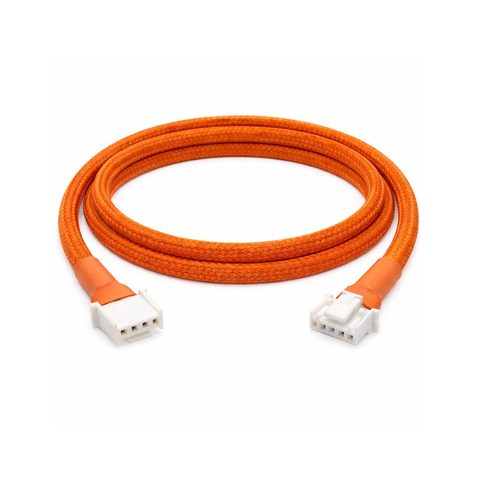
Option A: Pre-assembled Cable
Buy a ready-made CN105-to-Grove cable — assembled and tested, no crimping or soldering required.
Option B: Build Your Own
You can assemble a cable from these parts. See the wiring reference for the pinout.
| Part | Description | Link |
|---|---|---|
| JST PAP-05V-S | 5-pin connector housing (CN105 / HVAC side) | DigiKey |
| Grove HY2.0-4P cable | 4-pin connector with wire (device side) | DigiKey |
You will also need crimp terminals (JST SPHD-002T-P0.5) and a crimping tool, or you can solder the wires directly.
3. USB-C Data Cable (For Flashing)
Needed once to flash the firmware. You probably already have one.
- Must be a data cable, not a charge-only cable.
- Test it by connecting a phone — if your computer detects it, the cable works.
Shopping List
| Item | Where to Buy |
|---|---|
| ESP32 Board (NanoC6 or Atom S3 Lite) | M5Stack Store |
| CN105-to-Grove Cable | Etsy (ready-made) or DigiKey (DIY parts) |
| USB-C Data Cable | You likely have one |
Multiple Indoor Units?
You need one board and one cable per indoor head. Each indoor unit has its own CN105 port. A 3-zone system needs 3 of everything above.
To skip the assembly for every zone, order one pre-assembled Serin Controller per indoor unit.
Optional accessories
- USB-C data cable — only needed for initial flashing; after that, updates are done over WiFi (OTA).
- Label maker or tape — helpful for labeling cables in multi-unit installations.
- Multimeter — useful for verifying 5V power on the CN105 port if troubleshooting.
Next Steps
- Check compatibility — verify your Mitsubishi unit has a CN105 port.
- Flash the firmware — install ESPHome or HomeKit firmware from your browser.
- Wire it up — connect the cable to your HVAC unit.
Disclaimer
Links are provided for convenience and are not affiliate links. This project is provided as-is, with no warranties or liability.